

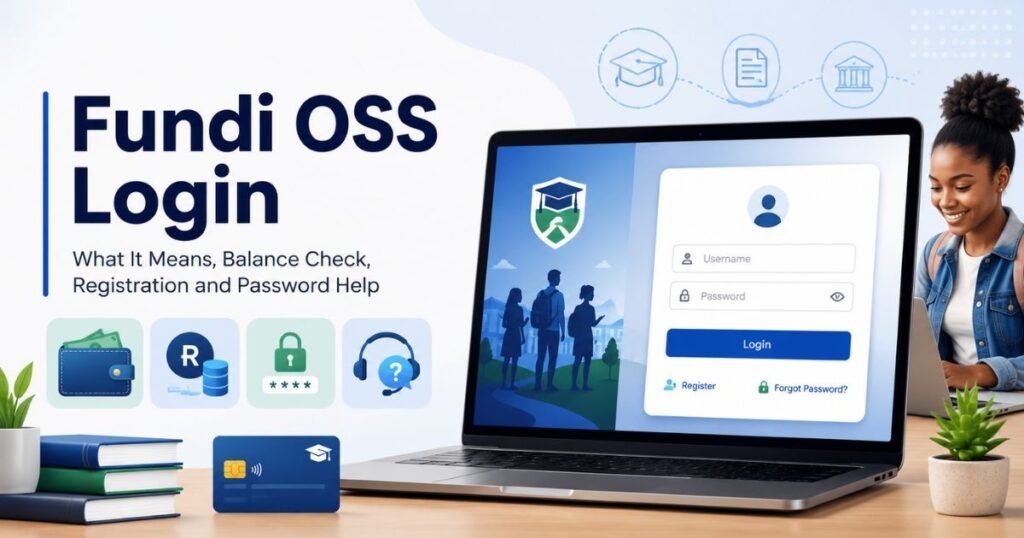
Fundi OSS stands for “One Stop Shop,” the original name for Fundi’s combined student platform, and many students searching for fundi oss, oss fundi login, or my fundi oss assume it needs a separate username, password, or registration step. It doesn’t. Fundi OSS login uses the exact same credentials as your standard Fundi account, so there’s no extra profile to create.
In this write-up, we explain what Fundi OSS actually means, how to log in, check your balance or status, fix registration and password issues, and what to do if your allowance still isn’t showing after you’ve logged in successfully.
“No matter what your ability is, effort is what ignites that ability and turns it into accomplishment.” — Carol Dweck
Quick Glance
- Fundi OSS stands for Fundi’s “One Stop Shop,” the original name for Fundi’s combined student platform and app.
- Fundi OSS login uses the same username and password as your regular Fundi account. There is no separate OSS account to create.
- The oss.fundi.co.za domain now hosts Fundi’s main solutions pages, and its login and registration links forward to the same secure Fundi identity system used for the standard Fundi login.
- If your balance, status, or payment is not showing, the most common cause is that your institution has not yet sent your allocation to Fundi, not a problem with OSS itself.
Table of Contents
What Is Fundi OSS?

Fundi OSS is one of the most searched Fundi-related terms in South Africa, and it confuses a lot of students because it sounds like it might be a separate system from the normal Fundi login.
OSS stands for One Stop Shop. It was the original name Fundi used for its all-in-one student platform, covering things like student loans, FundiCard services, accommodation finance, and device funding in one place, accessible through the Fundi website or the Fundi mobile app.
Today, the oss.fundi.co.za web address hosts Fundi’s main solutions pages for students, including loan and funding information and services like FundiConnect. When you try to log in or register from that domain, you are taken to the same secure Fundi identity system (sso.fundi.co.za) used for the standard Fundi account login.
In practical terms, this means:
- Fundi OSS login and Fundi login use the same account. You do not need a separate OSS username or password.
- There is no separate OSS-only dashboard with its own balance or status view that is different from your main Fundi account or Fundi Card.
If you were told by your institution, funder, or bursary office to use a specific OSS-branded link, always use the exact link they gave you rather than guessing, since some institutions may have their own branded entry point into Fundi’s systems.
Fundi OSS Login South Africa: Which Page Should You Use?
Students searching for Fundi OSS login South Africa are usually trying to find the correct page for a South African student funding, allowance, or card account, not a separate “OSS” system.
Before entering your ID number, passport number, username, email address, password, or banking details, check which Fundi service actually applies to you.
| What you need | Login route to use |
| General Fundi account | Fundi account login (sso.fundi.co.za) |
| Fundi Card balance or transactions | Fundi Card login (mycard.fundi.co.za) |
| Banking details upload | Fundi Card login, unless your institution says otherwise |
| Fundi OSS login | Same login as your regular Fundi account |
| Bursary or allowance status | Your Fundi account, or your institution’s finance office |
| Accommodation-related Fundi support | Fundi accommodation solutions, or institution guidance |
| Student loan application | Fundi loan page |
The important point: Fundi OSS is not a separate account system you need to register for on top of your normal Fundi profile. If you already have a Fundi account or Fundi Card, you already have access to everything that sits behind the OSS-branded pages.
Fundi OSS vs Fundi Login vs Fundi Card Login

Many students get confused because the words sound similar. Here is the difference, in plain terms.
Fundi login
Fundi login refers to your main Fundi account, accessed at sso.fundi.co.za. This is your general profile for student funding information and services linked to Fundi.
Related searches include fundi login, my fundi login, my fundi account, fundi student login, fundi login with id number, fundi login portal, and fundi login app.
Fundi Card login
Fundi Card login (mycard.fundi.co.za) is for students who have a Fundi Card or card-linked allowance. Use it to check card balance, transactions, card details, available funds, and banking details.
Related searches include fundi card login, fundi balance check, fundi statement, fundi login balance check, and fundi login banking details.
Fundi OSS login
Fundi OSS login is simply your regular Fundi login, accessed through the One Stop Shop branded pages or app rather than the standard website. The credentials are identical.
Related searches include fundi oss, fundi oss login, oss fundi login, my fundi oss, fundi oss status check, fundi oss balance check, fundi oss login balance check, fundi oss registration, and fundi oss login password.
If your university or college has not told you to use a specific OSS link, you do not need to look for one separately. Start with the standard Fundi login or Fundi Card login.
How to Log In to Fundi OSS
Since Fundi OSS login uses the same credentials as your main Fundi account, the steps are the same either way:
- Open the official Fundi login page, or the OSS-branded link if your institution gave you one specifically.
- Enter your registered email address or ID number.
- Type your password.
- Click Login.
- Wait for your Fundi dashboard to open.
If you do not yet have an account, use the sign-up or registration option rather than searching for a separate “OSS registration” page, since registration also goes through the same Fundi identity system.
If your ID number or login details are not recognised, it does not always mean something is broken. It may mean:
- Your institution has not sent your details to Fundi yet
- Your student number is not linked
- Your ID number or passport number was captured incorrectly
- Your Fundi Card profile is separate from your main Fundi account
- You are using an outdated or unofficial link
Avoid creating multiple accounts. That can make it harder to link your details correctly later.
Fundi OSS Balance Check
Students who search Fundi OSS balance check or Fundi OSS login balance check want to know whether their allowance or funds are available. Since there is no separate OSS balance system, this is the same as checking your regular Fundi or Fundi Card balance.
To check it:
- Log in to your Fundi account or Fundi Card account.
- Open the card, balance, allowance, payment, or transaction section.
- Check the available balance.
- Review your transaction history.
- Confirm whether funds were loaded, spent, reversed, or are still pending.
If the balance is not showing, it may be because:
- Your institution has not released the allocation
- The payment batch has not been processed yet
- Your Fundi Card is not linked correctly
- Your banking details are still being verified
- You are checking the wrong Fundi login page
First confirm with your institution whether the allocation has been sent to Fundi. If they confirm it was sent but you still see nothing, contact Fundi support directly.
“A little progress each day adds up to big results.” — Satya Nani
Fundi OSS Status Check
A Fundi OSS status check usually means a student wants to know whether their payment, bursary, allowance, account, or card profile is active. Again, this status lives in your normal Fundi account rather than a separate OSS system.
Your status may depend on:
- Whether your institution has approved or submitted your details
- Whether your funder has released the money
- Whether your student number is linked
- Whether your banking details are verified
- Whether the payment batch has been processed
To check it:
- Log in to your Fundi account.
- Look for account status, payment status, allowance status, or transaction history.
- Check for any missing banking details or verification alerts.
- Contact your institution if the status is unclear.
- Contact Fundi if your institution confirms your details were already sent.
If no status appears, the issue is often still with the institution’s submission, not with Fundi.
Fundi OSS Registration
Students search Fundi OSS registration when they want to create or activate a Fundi profile. You may need to register if:
- You do not have a Fundi account yet
- Your institution told you to create a Fundi profile
- You were asked to activate Fundi Card access
- You need to upload banking details
- Your bursary or allowance needs to be linked
During registration, you may be asked for your name, surname, South African ID number or passport number, cellphone number, email address, password, student number, and institution name.
Use the official Fundi sign-up page rather than a third-party link, even if it is described as an “OSS registration” page. The registration process feeds into the same Fundi account system, so there is no separate OSS profile to create on top of it.
If you already have a Fundi account, try logging in first. Do not create a second profile unless Fundi support or your institution specifically tells you to.
Fundi OSS Login Password Problems
Many students search Fundi OSS login password because they cannot access their account. Common causes include:
- Forgotten password
- Wrong email address, ID number, or passport number
- Account not linked yet
- Login page not loading
- Using the Fundi Card login when you meant the main Fundi account login, or the other way around
Try these fixes:
- Confirm you are on the correct Fundi login page.
- Re-enter your details carefully, checking for typos.
- Use the forgot password option.
- Check your email or SMS for reset instructions.
- Try a different browser, or clear your browser cache.
- Try again after 10 to 20 minutes if the page seems stuck.
- Contact Fundi support if the reset still does not work.
Never share your Fundi password, card PIN, banking login, or full card details with anyone, including people claiming to help over WhatsApp or social media.
When to Contact Fundi
Contact Fundi if:
- You cannot reset your password
- Your Fundi Card or OSS login is not working
- Your balance is not showing after funds were confirmed sent
- Your banking details are not saving
- You need help linking your account
Prepare these details before contacting support: full name, ID number or passport number, student number, institution name, cellphone number, email address, a screenshot of the error, and a short explanation of the problem. Never send your password or card PIN to anyone, including Fundi staff.
When to Contact Your Institution
Contact your university, college, bursary office, or finance office if:
- You do not know which Fundi login page to use
- Your allocation is not showing
- Your student number is not linked
- Your payment was not released
- Your banking details are pending
- Your bursary status is unclear
In many cases, Fundi cannot show money in your account until your institution or funder sends the correct payment information first.
Fundi OSS Login Not Working: Quick Checklist
| Problem | Likely reason | What to do |
| ID number not recognised | Profile not linked yet | Contact your institution |
| Password not working | Wrong password or wrong page | Use the forgot password option |
| Balance not showing | Funds not loaded yet | Ask your institution if allocation was sent |
| Banking details not accepted | Details do not match records | Recheck your account information |
| Status not showing | Institution has not updated records | Contact your finance office |
| Page not loading | Browser or server issue | Try later or use another browser |
Final Advice
Fundi OSS is not a separate system you need to track down or register for on top of your normal Fundi account. OSS originally stood for Fundi’s One Stop Shop platform, and today it mainly describes Fundi’s broader solutions pages, while login, registration, and password recovery all run through the same Fundi identity system as the standard Fundi login.
If you are searching for fundi oss login, oss fundi login, or my fundi oss, the fastest path is simply to use your existing Fundi login or Fundi Card login. If your balance, status, or payment is not showing, confirm with your institution whether your allocation has been sent before assuming there is a problem with your account.
Disclaimer: Fundi may update its branding, login pages, or platform structure at any time. For the latest information, always check the official Fundi website, your Fundi account dashboard, or your university or college finance office notices.
Frequently Asked Questions
What is Fundi OSS?
Fundi OSS stands for “One Stop Shop,” the original name for Fundi’s combined student platform and app. It is not a separate account system from your regular Fundi login.
Is Fundi OSS login different from Fundi login?
No. Fundi OSS login uses the same username and password as your regular Fundi account. There is no separate OSS profile to create.
How do I check my Fundi OSS balance?
Log in to your regular Fundi account or Fundi Card account and check the balance or transaction section. If nothing appears, ask your institution whether your allocation has been sent.
How do I do a Fundi OSS status check?
Log in to your Fundi account and check the account, payment, or allowance status section. If no status is shown, contact your institution first, since Fundi often cannot display a status until the institution submits your details.
How do I register for Fundi OSS?
Use the official Fundi sign-up page. You will need your name, surname, ID number or passport number, cellphone number, email address, and password. This creates your regular Fundi account, since there is no separate OSS registration.
What should I do if my Fundi OSS login password is not working?
Confirm you are on the correct official Fundi login page, then use the forgot password option. If the reset link does not work, contact Fundi support directly.
Can I use Fundi login with an ID number?
Yes, Fundi’s login system allows ID-based login as an alternative to email login. If your ID number is not recognised, your profile may not be linked to your institution yet.
Why is my Fundi OSS balance not showing?
Your balance may not show if your institution has not released the allocation, the payment batch is still pending, your profile is not fully linked, or your banking details are still being verified.
Do I need a separate app for Fundi OSS?
No. While OSS originally referred to a one-stop-shop style app and platform, your standard Fundi login works on the Fundi website and the official Fundi mobile app using the same credentials.

Varsha Asrani is a lecturer and education writer with experience as Visiting Faculty at AUPP and ATMC College, and as a Lecturer with TalentEdge and UpGrad. She is the Founder of the Asrani Institute of Education and Counselling. Varsha specializes in scholarships, e-learning, and career guidance for African students and professionals, and regularly visits Africa to gather first-hand insights that shape her research and articles.