


Last updated on June 17, 2026
Looking for the Fundi login page? Use the official links below to access your Fundi account, Fundi Card, banking details, balance, OSS Fundi, or student funding dashboard safely.
FUNDI Login (Official Links)
Students usually search for Fundi login when they need to check their Fundi Card balance, upload banking details, view student funding information, access a Fundi linked profile, or confirm whether their allowance has been loaded.
The important thing is to understand that Fundi does not have only one login page for everything. Some students need the main Fundi account login. Some need the Fundi Card login. Some may be given a separate institution or bursary related Fundi link. So, before entering your ID number, password, or banking details, make sure you are using the correct official page.
Table of Contents
What Is Fundi?
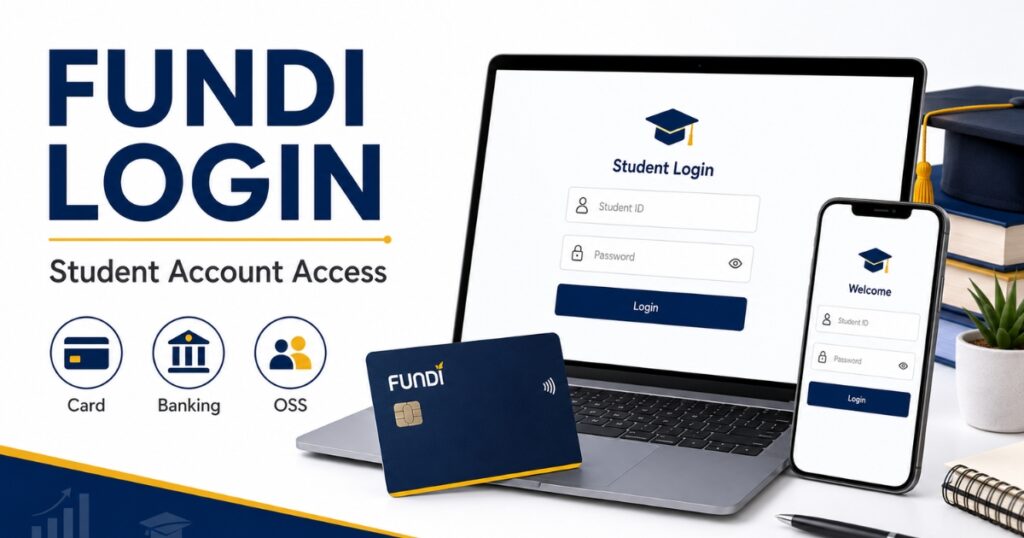
Fundi is a South African education finance and fund management provider. Students may come across Fundi when dealing with education loans, bursary administration, student allowances, accommodation funding, study devices, Fundi Card services, or institution linked payment support.
For many students, Fundi is not the university or funder that approves the money. Instead, Fundi may help manage, distribute, or support student funding after the university, college, bursary provider, or organisation has processed the student’s details.
That is why a student may be able to log in but still not see a payment immediately. In some cases, the institution still needs to send the allocation. In other cases, banking details may still need to be verified, or funds may not yet be loaded to the Fundi Card.
Students often search for terms like fundi login, my fundi login, fundi card, fundi banking details, fundi bursary, fundi loan, oss fundi login, and fundi login with id number because these services are connected. However, they are not all the same login route.
Which Fundi Login Should Students Use?
Before following any steps, first decide which Fundi login page matches your situation. This will save time and reduce confusion.
| What you need | Which login to use | Best for |
| General Fundi account access | FUNDI Account Login | Students with a Fundi online profile |
| Fundi Card balance or card details | FUNDI Card Login | Students using a Fundi Card |
| Banking details for allowances | FUNDI Card Login | Students asked to upload bank details |
| OSS Fundi or institution link | Institution provided link | Students told by a university, college, or bursary office |
| Student funding information | FUNDI Students Page | Students checking Fundi services |
Simple rule:
- Use FUNDI Account Login for your main Fundi profile.
- Use FUNDI Card Login for card balance, card details, transactions, and banking details.
- Use OSS Fundi or institution links only when your university, college, bursary provider, or finance office gives you that link.
How to Log In to Your Fundi Account
Use the main Fundi account login when you want to access your general Fundi profile. This is different from the Fundi Card login.
Fundi Account Login Steps
Follow these steps:
- Open https://sso.fundi.co.za/
- Enter your registered email address
- Type your password
- Click Login
- Wait for your Fundi dashboard to open
If you forgot your username or password, use the “Forgot username?” or “Forgot password?” option on the official login page. Do not create another account immediately unless Fundi support or your institution tells you to do so.
Creating another profile may make things more confusing if your ID number, student details, or funding information is already linked to your first account.
Fundi Login With ID Number
Many students search for fundi login with id number because Fundi also shows an option to log in with ID.
To use this option:
- Open the official Fundi login page
- Choose the ID login option
- Enter your South African ID number or required identity details
- Follow the prompts on the page
- Continue to your Fundi profile
If your ID number is not recognised, it does not always mean your account is blocked. Your profile may not be linked yet, your institution may not have submitted your details, or your Fundi account may have been created with different information.
In that case, contact Fundi support or your institution’s finance office. When asking for help, mention your full name, ID number, student number, and institution name.
What If Your Fundi Account Is Not Linked?
Sometimes students can access a login page but cannot see the expected Fundi information after signing in. This may happen when your Fundi profile is not fully linked to your institution, bursary, card, or payment record.
Possible reasons include:
• Your institution has not sent your allocation yet
• Your ID number was captured incorrectly
• Your student number is not linked
• Your banking details are still pending
• Your Fundi Card profile is separate from your main Fundi account
• You are using the wrong login page
If this happens, do not keep changing details again and again. First confirm with your university, college, or bursary office whether your details have been sent to Fundi.
How to Use My Fundi Card Login

Students with a Fundi Card should use the Fundi Card login page. This is the page used for card related services.
Fundi Card Login Steps
Follow these steps:
- Open https://mycard.fundi.co.za/
- Enter your ID number or passport number
- Enter the password you registered with
- Click Login
- Open your card dashboard
The Fundi Card portal is usually the correct place to check card related details, transactions, and balance information. If your allowance is linked to a Fundi Card, this is likely the page you need.
How to Check Fundi Balance
Students often check their Fundi balance to confirm whether funds have been loaded, used, reversed, or delayed.
To check your Fundi Card balance:
- Visit https://mycard.fundi.co.za/
- Log in with your ID or passport number
- Enter your registered password
- Open your Fundi Card dashboard
- Check your available balance or transaction history
If your balance does not show, wait and check again later. Sometimes funds are still being processed. In other cases, your institution may not have released the allocation yet.
If your institution says the money was paid but nothing appears on your Fundi Card, ask whether the payment was sent to Fundi, whether it is still pending, or whether it was rejected.
How to Upload Banking Details on Fundi
Some students need to upload banking details so that cash allowances can be paid into their bank account. This is usually done through the Fundi Card portal when the option is available.
To upload banking details:
- Go to https://mycard.fundi.co.za/
- Log in to your Fundi Card account
- Look for the Banking Details section
- Complete all required fields
- Check your account number, branch code, account holder name, and ID number
- Submit the banking details
- Wait for verification or confirmation
Use your own bank account unless your university, bursary provider, or Fundi support clearly tells you another option is allowed. If the bank account name, ID number, or account number does not match, your payment may be delayed or rejected.
What If Your Fundi Card Balance Is Not Showing?
If your Fundi Card balance is not showing, do not assume the money is lost. There are several possible reasons.
Common causes include:
• Your institution has not released the allocation
• The payment batch has not been processed yet
• Your Fundi Card profile is not linked correctly
• Your banking details are still being checked
• The card portal is updating
• You are checking the wrong Fundi login page
Start by checking your transaction history. Then contact your institution’s finance office and ask whether your allocation has been sent to Fundi. If they confirm it has been sent, contact Fundi support with your details.
If your funding has been approved but the money is still not reflecting, our guide on NSFAS approved but no payment may also help you understand common payment delays.
What Is OSS Fundi Login?
OSS Fundi is a term students search for when their institution, funder, or bursary office uses a Fundi linked system for student funding or account services.
Not every student needs OSS Fundi. You should only use an OSS Fundi login if your university, college, bursary provider, or finance office has specifically told you to use it.
Who Needs OSS Fundi?
You may need OSS Fundi if your institution or funder gives you a specific Fundi related login link for bursary, payment, card, or account management.
Students may search for OSS Fundi when they need to:
• Access an institution linked Fundi profile
• Check bursary or allowance information
• Manage Fundi Card related services
• Reset a Fundi linked account
• Use a finance office or bursary office platform
• Follow instructions from their campus
If you were not given an OSS Fundi link by your institution, start with the main Fundi account login or Fundi Card login instead.
Fundi Login UJ, UNIVEN and CUT Students
Some students search for fundi login UJ, fundi login UNIVEN, fundi login CUT, or similar university related terms. This usually means the student wants to know whether their university has a specific Fundi access route.
This does not always mean there is a separate public Fundi login page for that university. In many cases, students should use the official Fundi account login or Fundi Card login unless their institution gives them another link.
If you are a UJ, UNIVEN, CUT, or other university student, ask your finance office:
• Should I use Fundi Account Login or Fundi Card Login?
• Has my allocation been sent to Fundi?
• Are my banking details verified?
• Is there a separate Fundi link for our institution?
• Should I use OSS Fundi?
• Has my payment been processed or is it still pending?
Clear questions will help support staff understand whether your issue is with Fundi, your institution, your bank details, or your card profile.
When to Ask Your Institution for the Correct Fundi Link
You should ask your institution for the correct Fundi link if:
• Your ID number is not recognised
• Your Fundi Card balance is missing
• Your banking details are not accepted
• You were told to use OSS Fundi
• Your university has a separate finance portal
• Your payment shows as sent but does not reflect
• You are not sure whether Fundi is handling your allowance
Avoid using Fundi links shared by strangers in WhatsApp groups, Facebook comments, or unofficial student pages. These links may be outdated, incorrect, or unsafe.
Fundi Bursary, Loan and Student Funding Options

Students also search for fundi bursary, fundi student loan, fundi loan requirements, how to apply for Fundi bursary online, and how to apply for Fundi student loan. These searches are related to Fundi, but they are not the same as Fundi login.
Fundi may be linked to different education finance and support services, including student loans, bursary support, accommodation finance, study devices, and fund management. However, approval depends on the product, the funder, affordability checks, supporting documents, and the student’s situation.
If you want to apply for a Fundi loan or bursary related support, start from the official Fundi website. Read the requirements carefully before submitting personal information, bank details, or financial documents.
Students looking for more funding options can also check our list of 2026 bursaries in South Africa.
Fundi Login Not Working?
Fundi login issues are common, especially when many students are checking payments, updating banking details, or waiting for allowances. Most problems can be narrowed down by checking the basics first.
Common Fundi Login Problems
| Problem | Likely Cause | Quick Fix | Who to Contact |
| Cannot log in | Wrong email, ID, or password | Reset password or recheck details | Fundi support |
| ID number not recognised | Profile not linked yet | Confirm with institution | Campus finance office |
| Fundi Card balance missing | Funds not loaded yet | Check later and review transactions | Institution or Fundi |
| Banking details not accepted | Incorrect or mismatched details | Re-enter correct bank details | Fundi support |
| Page loading slowly | Website traffic or weak internet | Try later or switch browser | Fundi support if ongoing |
| Payment not showing | Allocation not released yet | Ask institution if funds were sent | Finance office |
You can also use the NSFAS Status Tool if your NSFAS status is confusing and you want a quick plain-English explanation.
Quick Fixes Before Contacting Support
Try these steps first:
• Confirm you are using the official Fundi page
• Re-enter your email address or ID number carefully
• Check whether you need Fundi Account Login or Fundi Card Login
• Reset your password if needed
• Use Chrome, Safari, or Firefox
• Clear your browser cache
• Switch from WiFi to mobile data
• Try again after 10 to 20 minutes
• Ask your institution whether your allocation has been sent
Do not share your password, card PIN, banking login, or full card details with strangers online. Fundi support may need to verify your identity, but nobody should ask for your password.
When to Contact Fundi or Your Institution
Contact Fundi if:
• You cannot reset your password
• Your Fundi Card login is not working
• Your card dashboard has an error
• Your banking details are not saving
• You need help with your Fundi account profile
Contact your institution or bursary office if:
• You want to know whether your allocation was sent
• Your payment has not been released
• Your student number is not linked
• You were told to use OSS Fundi
• You are unsure which Fundi login page applies to you
In many cases, both Fundi and the institution may be involved. Fundi may manage the account or card system, but your institution may control when allocations are sent.
Fundi Contact Details
If your Fundi login issue continues, contact Fundi through official support channels.
Before contacting support, prepare:
• Full name
• ID number or passport number
• Student number
• Institution name
• Fundi Card details if applicable
• Screenshot of the error message
• A short explanation of the problem
You can contact Fundi through the official Fundi website or the contact details shown on the official login pages. Always avoid sharing your password, card PIN, or online banking details.
Conclusion
Fundi login is useful for students who need to access their Fundi account, Fundi Card, banking details, balance, OSS Fundi, or student funding information. The most important thing is to use the correct login page.
Use the Fundi account login for your general profile. Use the Fundi Card login for card balance, transactions, and banking details. Use OSS Fundi or institution specific links only when your university, college, bursary provider, or finance office gives you that instruction.
If your payment is not showing, first check whether your banking details are correct, whether your institution has released the allocation, and whether you are using the correct Fundi login page. Bookmark the official links and avoid random links shared in student groups.
For a clearer breakdown of how funding moves through different stages, read our guide on NSFAS funding stages.
Frequently Asked Questions (Fundi Login)
What is the official Fundi login page?
The official Fundi account login page is https://sso.fundi.co.za/. Students with a Fundi Card can use https://mycard.fundi.co.za/ for card related access.
Can I use Fundi login with ID number?
Yes, Fundi shows an option to log in with ID. If your ID number is not recognised, your profile may not be linked yet or your institution may still need to update your details.
What is My Fundi login?
My Fundi login usually refers to accessing your Fundi account or Fundi Card profile. Use the main Fundi account login for your general profile and Fundi Card login for card related services.
How do I log in to My Fundi Card?
Go to https://mycard.fundi.co.za/, enter your ID number or passport number, enter your registered password, and open your card dashboard.
How do I check my Fundi balance?
Log in to the Fundi Card portal and check your available balance or transaction history. If the balance is missing, your funds may not have been loaded yet.
How do I upload banking details on Fundi?
Log in to the Fundi Card portal, open the Banking Details section if available, complete the required fields, and submit your bank account information. Make sure the details are correct before submitting.
What is OSS Fundi login?
OSS Fundi login refers to a Fundi linked access route used by some institutions, funders, or bursary offices. Use it only if your institution gives you that link.
Is there a separate Fundi login for UJ, UNIVEN or CUT?
There may not always be a separate public Fundi login for each university. If your institution gives you a specific Fundi link, use that. Otherwise, start with the official Fundi account login or Fundi Card login.
Why is my Fundi payment not showing?
Your payment may not show if your institution has not released the allocation, your banking details are still being verified, funds have not been loaded, or your Fundi profile is not linked correctly.
How long does Fundi take to pay?
Payment time can vary depending on the institution, allocation process, banking verification, and Fundi processing. If the delay continues, contact both Fundi and your institution.
Can I withdraw money from Fundi Card?
This depends on the type of funds loaded and the rules set by your funder or institution. Some funds may be restricted to approved uses such as food, books, accommodation, or study related costs.
Who qualifies for a Fundi loan?
Fundi loan requirements may depend on affordability, income, study costs, institution, course type, and supporting documents. Check the official Fundi website for the latest loan information.
Disclaimer: Fundi may update its login pages, Fundi Card features, banking details process, OSS access, or support options at any time. For the latest information, always check the official Fundi website, your Fundi account dashboard, or your university or college finance office notices.

Varsha Asrani is a lecturer and education writer with experience as Visiting Faculty at AUPP and ATMC College, and as a Lecturer with TalentEdge and UpGrad. She is the Founder of the Asrani Institute of Education and Counselling. Varsha specializes in scholarships, e-learning, and career guidance for African students and professionals, and regularly visits Africa to gather first-hand insights that shape her research and articles.

