

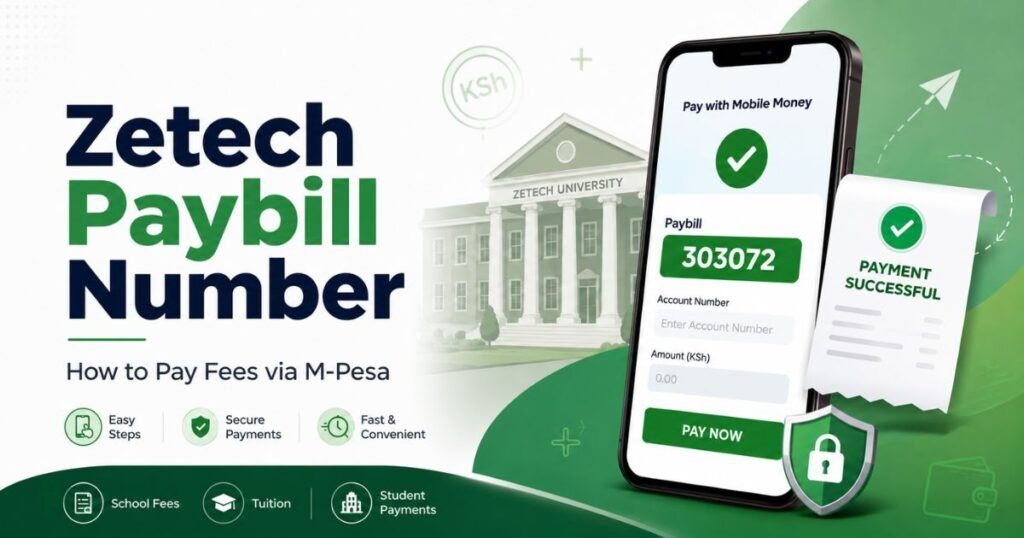
If you want to pay Zetech University fees through M-Pesa, you need the correct Zetech Paybill number and your student admission number. The official Zetech Paybill number is 303072, and the account number should be your student admission number.
This part is important. If you enter your phone number, name, ID number, or course name instead of the admission number, your payment may not reflect correctly in the student portal. You may then need to contact the accounts office to trace it.
In this article, we will cover everything about the Zetech Paybill number, how to pay fees using M-Pesa, the 40-40-20 installment plan, how the Zetech Student portal login can help you confirm your payment, and what to do if your payment does not reflect within 24 hours.
Quick Glance
- The official Zetech Paybill number is 303072.
- Use your student admission number as the account number.
- Pay through M-Pesa > Lipa na M-Pesa > Pay Bill.
- Keep your M-Pesa confirmation message after payment.
- Check the Zetech student portal or accounts office if payment does not reflect.
Quick tip: Always use your Zetech admission number as the account number. Do not use your phone number or name because the payment may not reflect correctly.
Table of Contents
What is the Paybill Number for Zetech?

The Paybill number for Zetech is 303072.
This is the number students can use when paying university fees through M-Pesa. The account number should be your Zetech student admission number. Here is the simple payment detail:
Business Number: 303072
Account Number: Your student admission number
Payment Method: M-Pesa Paybill
Purpose: Zetech University fees payment
Before sending money, check your admission number carefully. One wrong digit can cause your payment to be posted late or sent under the wrong student record.
How to Pay Fees Using M-pesa?
You can pay your Zetech University fees through M-Pesa by following these steps:
- Open the M-Pesa menu on your phone.
- Choose Lipa na M-Pesa.
- Select Pay Bill.
- Enter the Zetech Paybill number: 303072.
- Enter your student admission number as the account number.
- Enter the amount you want to pay.
- Enter your M-Pesa PIN.
- Confirm the details before completing the payment.
- Save the M-Pesa confirmation message.
Do not rush the confirmation screen. Check the business number, account number, and amount before pressing send. If the account number is wrong, the payment may not reflect correctly on your student account.
The process is similar to other Paybill payments in Kenya. You can also read our guide on how M-Pesa Paybill payments work.
What should you enter as the account number?
For Zetech fee payments, the account number should be your exact student admission number.
This is one of the most common mistakes students make when paying university fees through M-Pesa. Some students enter their name. Others enter their phone number or course name. That may make it difficult for Zetech to match the payment to the right student account.
Use this format:
Paybill: xxxxxx (Eg: 303072)
Account Number: Student Admission Number
If you are a new student and you do not know your admission number yet, confirm it first before paying. You can check your admission documents, email communication from Zetech, or contact the admissions or accounts office for help.
Is it Possible to Pay Zetech Fees in Instalments?
Yes. Zetech allows students to pay fees in full at the beginning of the semester or in installments.
According to Zetech’s official fee payment page, the installment plan is:
- 40% on registration or reporting
- 40% by the 5th day of the second month
- 20% by the 5th day of the third month
This means students do not always have to pay the full semester fee at once. However, you should still confirm your exact balance before making payment because your payable amount may depend on the course, semester, and extra charges.
For example, if your semester fee is KSh 30,650, the 40-40-20 plan would work like this:
- First payment: KSh 12,260
- Second payment: KSh 12,260
- Final payment: KSh 6,130
If your semester fee is KSh 54,650, the installment breakdown would be:
- First payment: KSh 21,860
- Second payment: KSh 21,860
- Final payment: KSh 10,930
Before paying through M-Pesa, check your fee balance and use the correct Zetech Paybill number. Enter your student admission number as the account number so the payment can be matched to your student account.
Zetech Fee Structure

Zetech University fees depend on the course, level of study, and whether the programme is charged per semester or per term. Before paying through the Zetech Paybill number, students should check the correct fee for their programme.
According to Zetech’s published tuition-fee pages, certificate courses start from about KSh 26,050 per semester, while many diploma courses start from about KSh 30,650 per semester. Some degree courses are listed from about KSh 54,650 to KSh 60,650 per semester, depending on the programme.
Here are some examples from the Zetech university Fee structure PER SEMESTER:
| Course Category | Example Programmes | Fee Shown |
| Certificate courses | Business Management, Purchasing and Supply Chain Management, Development Studies | Around KSh 26,050 per semester |
| Certificate in Information Technology | CIT | Around KSh 27,050 per semester |
| Certificate in Journalism and Media Studies | CJMS | Around KSh 29,650 per semester |
| Diploma courses | Business Management, HRM, Accounting and Finance, Counseling Psychology, Project Management | Around KSh 30,650 per semester |
| Degree courses | Business Administration, Economics and Statistics, Purchasing and Supply Chain Management | Around KSh 54,650 per semester |
| Degree ICT and hospitality courses | IT, Computer Science, Hospitality and Tourism Management | Around KSh 60,650 per semester |
Zetech also lists other charges such as application fee, registration fee, statutory fee, attachment fee, project fee, readmission fee, and hostel fee. For example, the statutory fee is listed as KSh 8,900 every semester, while hostel fee is listed as KSh 30,000 per semester where applicable.
If you are not sure where to go after paying fees, you can use our Zetech student help tool. It can guide you to the right Zetech link for common student needs such as portal login, e-learning access, fee payment, application help, and student services.
Zetech university fee structure for certificate courses
The Zetech university fee STRUCTURE for certificate courses is lower than most diploma and degree programmes. Zetech’s tuition-fee page lists several certificate courses between KSh 26,050 and KSh 29,650 per semester.
Examples include:
- Certificate in Business Management: KSh 26,050 per semester
- Certificate in Purchasing and Supply Chain Management: KSh 26,050 per semester
- Certificate in Development Studies: KSh 26,050 per semester
- Certificate in Information Technology: KSh 27,050 per semester
- Certificate in Journalism and Media Studies: KSh 29,650 per semester
- Certificate in Hospitality and Tourism Management: KSh 29,650 per semester
Before paying through M-Pesa, check whether your course has extra charges such as registration, statutory, examination, project, attachment, or hostel fees.
Zetech university fee structure for Diploma courses
The Zetech university FEE STRUCTURE for Diploma courses starts from about KSh 30,650 per semester for several listed diploma programmes.
Examples include:
- Diploma in Business Management and Administration: KSh 30,650 per semester
- Diploma in Purchasing and Supply Chain Management: KSh 30,650 per semester
- Diploma in Human Resource Management: KSh 30,650 per semester
- Diploma in Accounting and Finance: KSh 30,650 per semester
- Diploma in Counseling Psychology: KSh 30,650 per semester
- Diploma in Project Management: KSh 30,650 per semester
Some diploma programmes may cost more than this, especially where there are practical, technical, attachment, project, or school-specific charges. Always confirm your exact programme before sending fees through Zetech Paybill 303072.
Zetech University fee structure for nursing
Students searching for Zetech University FEE STRUCTURE for nursing should be careful because nursing and health-related courses may have different requirements from ordinary certificate or diploma courses.
Zetech has a School of Health Sciences, and its listed health-related degree course includes Bachelor of Science in Health Systems Management, shown at about KSh 58,650 per semester. If you are looking specifically for nursing, confirm directly from Zetech whether that programme is available for the current intake and whether a separate fee structure applies.
Do not pay for a nursing-related course using old PDFs or social media screenshots. First confirm the programme name, fee amount, admission status, and payment instructions with Zetech.
Students comparing fee payment and funding options can also read our guide on how to apply for HELB loan in Kenya.
Common Mistakes to Avoid When Paying Zetech Fees

Here are the most common mistakes students should avoid:
- Entering the wrong Zetech Paybill number
- Using a phone number instead of the admission number
- Paying before confirming the correct fee balance
- Deleting the M-Pesa confirmation message
- Using an old fee structure
- Paying through unofficial numbers
- Waiting until the deadline day to pay
- Not checking the student portal after payment
The safest approach is simple. Confirm your fee amount, use Paybill 303072, enter your correct admission number, and keep proof of payment.
Final Thoughts
Paying Zetech fees through M-Pesa is simple as long as you use the correct details. The main thing to remember is this: use Zetech Paybill 303072 and enter your student admission number as the account number.
Before paying, check your fee balance and confirm whether you are paying the full amount or using the 40-40-20 installment plan. After payment, keep the M-Pesa confirmation message until the receipt appears in the student portal.
If the payment does not reflect within 24 hours, follow up with Zetech using your admission number and M-Pesa confirmation code.
FAQs
How to pay fees using M-pesa?
Go to M-Pesa, choose Lipa na M-Pesa, select Pay Bill, enter 303072 as the business number, then enter your student admission number as the account number. Add the amount, enter your PIN, and confirm the payment.
Is there a different Zetech university FEE STRUCTURE for Diploma courses?
Yes, diploma course fees may differ by programme. Always check the current diploma fee structure for your specific course before making an M-Pesa payment.
How do I use Zetech Student portal login after payment?
After paying fees, log in to the Zetech student portal and check whether your payment or fee balance has updated. If it has not reflected, keep your M-Pesa confirmation message and contact the accounts office.
What should I do if I entered the wrong account number?
Keep your M-Pesa confirmation message and contact Zetech accounts office as soon as possible. Share your admission number, phone number used, amount paid, date, and M-Pesa confirmation code.
How Long Does Zetech M-Pesa Payment Take to Reflect?
Zetech says M-Pesa receipts are updated in the student portal within 24 hours. After paying, keep your M-Pesa confirmation message safe. If the payment does not reflect after the expected time, contact the accounts office with your admission number, M-Pesa confirmation code, amount paid, payment date, and the phone number used.
How to Check Your Payment on the Zetech Student Portal
After paying through M-Pesa, you can use the Zetech Student portal login to check whether your fee payment has reflected.

Varsha Asrani is a lecturer and education writer with experience as Visiting Faculty at AUPP and ATMC College, and as a Lecturer with TalentEdge and UpGrad. She is the Founder of the Asrani Institute of Education and Counselling. Varsha specializes in scholarships, e-learning, and career guidance for African students and professionals, and regularly visits Africa to gather first-hand insights that shape her research and articles.

